How do I embed a LinkedIn company feed on a website?
Quick Answer
To embed a LinkedIn feed to your website, use a social media aggregator like Walls.io. Link your LinkedIn company page, choose the content you want to use, customize the design, and then copy the embed code into your site. LinkedIn doesn't have a website widget, so you need a third-party tool.

When you embed a LinkedIn company feed on your website, you take posts from a LinkedIn company page and put them on one of your own web pages. LinkedIn stopped supporting public page plugins years ago, so there's no official way to embed LinkedIn content using a copy-paste button. To show a LinkedIn feed on a website, you can connect the page to a third-party tool like Walls.io that fetches the posts and gives you an embed code.
Is there an official LinkedIn feed widget or embed code?
No, LinkedIn stopped supporting its company page plugins and share badges and never replaced them with a LinkedIn feed widget. The "Follow" and "Share" buttons only redirect people back to LinkedIn. They don't show your actual posts. There isn't a special code you can use to embed LinkedIn on your website.
That's where an aggregator comes in. It has approved access to LinkedIn content, then turns it into a shortened version that you can add to a website. Here are a few things to keep in mind:
- You can only pull content from a company page you manage or have the right to display.
- The feed updates on a schedule set by the tool, not instantly with every new post.
- It's important to have clear rules about who can see your data and how it's used. Choose a tool that clearly explains these rules.
How to embed a LinkedIn feed on your website, step by step
The process is similar across most aggregators. Here it is using a Walls.io LinkedIn feed:
- Start a free Walls.io trial, add LinkedIn as a source. LinkedIn collects content from pages, hashtags, and keywords, so you should point it at your company page.
- Allow the tool to access your company's page posts.
- Choose what to show. You can filter posts by type, date, or keyword. You can also enable moderation to approve posts before they go live.
- You can personalize the design with Custom Design to match your brand's identity. This will make the feed match your colors, fonts, and layout.
- Copy the Walls.io-generated LinkedIn embed code. The tool makes a small part of code, like an iframe or a short script tag.
- Paste the code into your website where you want the feed to appear. This works with any content management system (CMS) that accepts HTML. This includes WordPress, Webflow, Drupal, and custom sites.
Once it's live, new posts will automatically be added during the tool's refresh cycle. There is no manual update.

Can you embed a single LinkedIn post or a LinkedIn profile?
These are different jobs, so it helps to be clear about what's possible:
- Add the LinkedIn post to your website. Yes. To embed a single LinkedIn post, open the "..." menu on any public post and choose "Embed this post." LinkedIn gives you a one-time embed code for each update. It's great for highlighting one announcement, but not for a live feed.
- Add your LinkedIn profile: Add all the LinkedIn profiles you want to collect content for, and Walls.io will pull all the posts automatically in one content stream that you can embed on your website.
What can you display in a LinkedIn website feed?
Most teams want company page updates on a careers page, a newsroom, or a campaign landing page. A good aggregator lets you choose exactly what shows you want to watch. You can pull text posts, images, links, and video previews, then filter out anything you don't want.
If you only use one LinkedIn source, the feed will only show content from company pages. But you don't have to stop there. Walls.io can combine LinkedIn with other social media accounts through Social Media Aggregation. This feature collects content from various social media sites and displays it anywhere. One feed can combine LinkedIn content with Instagram images and event hashtags, so a single embed shows your whole social presence instead of requiring you to manage a separate widget for each network.
What good looks like, and common mistakes to avoid
It's easy to make a LinkedIn feed on a website go wrong, and that can hurt the page. Watch for these:
- Make sure the feed design matches your website. A widget with a default style that doesn't match your brand can make it seem like it was added on later. Make it look like it belongs there.
- Wait a little bit before posting on a page where a lot of people will see it. One post from a different brand on your homepage is worse than a feed that updates more quickly.
- It loads quickly and remains accessible. If a widget is heavy and causes rendering problems or fails on mobile, it costs more than the feed adds.
- Make sure the tool is handling your data correctly. A cookieless, GDPR-compliant embed like Walls.io gets IT and legal review approval much more quickly.
How Walls.io approaches this
Walls.io pulls your LinkedIn company page into a single feed, lets you moderate and design it, and then gives you a cookieless embed code for any website. The same feed can mix LinkedIn with Instagram, X, and other sources, so your page shows one branded stream instead of separate widgets. See how website embeds work →
Brands embedding social feeds on their website with Walls.io
These are real companies running a Walls.io LinkedIn feed on their sites. You can see each one live:
Trumpf embeds a LinkedIn feed on its corporate newsroom.
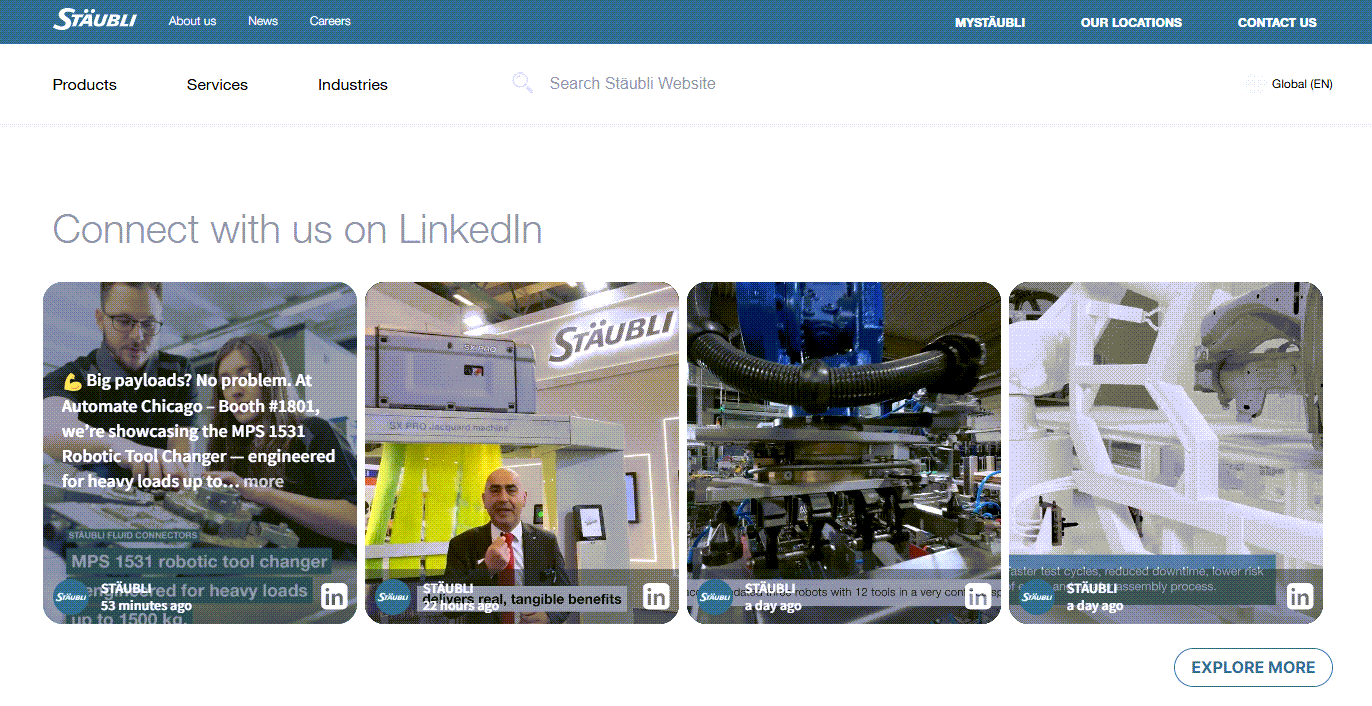
Stäubli Group runs a LinkedIn feed on its company homepage.
Thalia displays a LinkedIn feed on its corporate website.
LV 1871 blends LinkedIn with Instagram and X for its corporate influencer program, where around 30 employees post as company influencers.
Resources
→ Embed a LinkedIn Feed on Website: The Complete Guide
→ LV 1871 Corporate Influencer Social Wall
→ Social Media Feed on Website Examples & How To
Related questions
→ What is a social media aggregator?
→ How do I embed a social media feed on a website?
→ How do I set up a live social media wall for an event?