A social wall that looks like you

Make your social wall look exactly the way you want it. Match your brand colors, fonts, and layout — no design skills required.

Trusted by 9,000+ brands worldwide
brands that love walls.io

Why it works

Instantly on-brand

Apply your brand colors, fonts, and logo in minutes. Your wall looks like part of your website.

Flexible layouts

Choose from a variety of preset layouts or go fully custom — from classic grids to dynamic feeds.

Looks great everywhere

Whether on a website, event, or digital signage, your wall adapts to any display size and context.

What you can customize

Colors and backgrounds

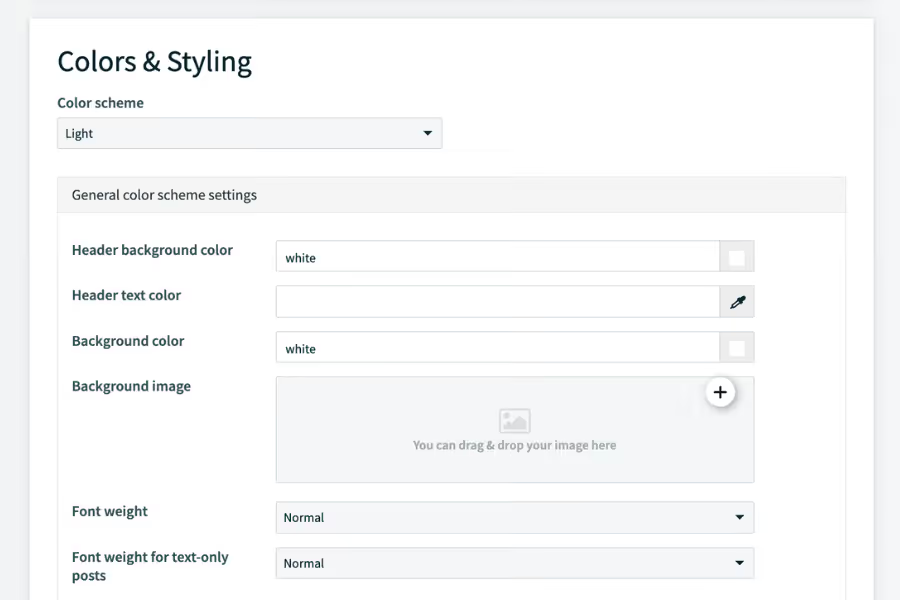
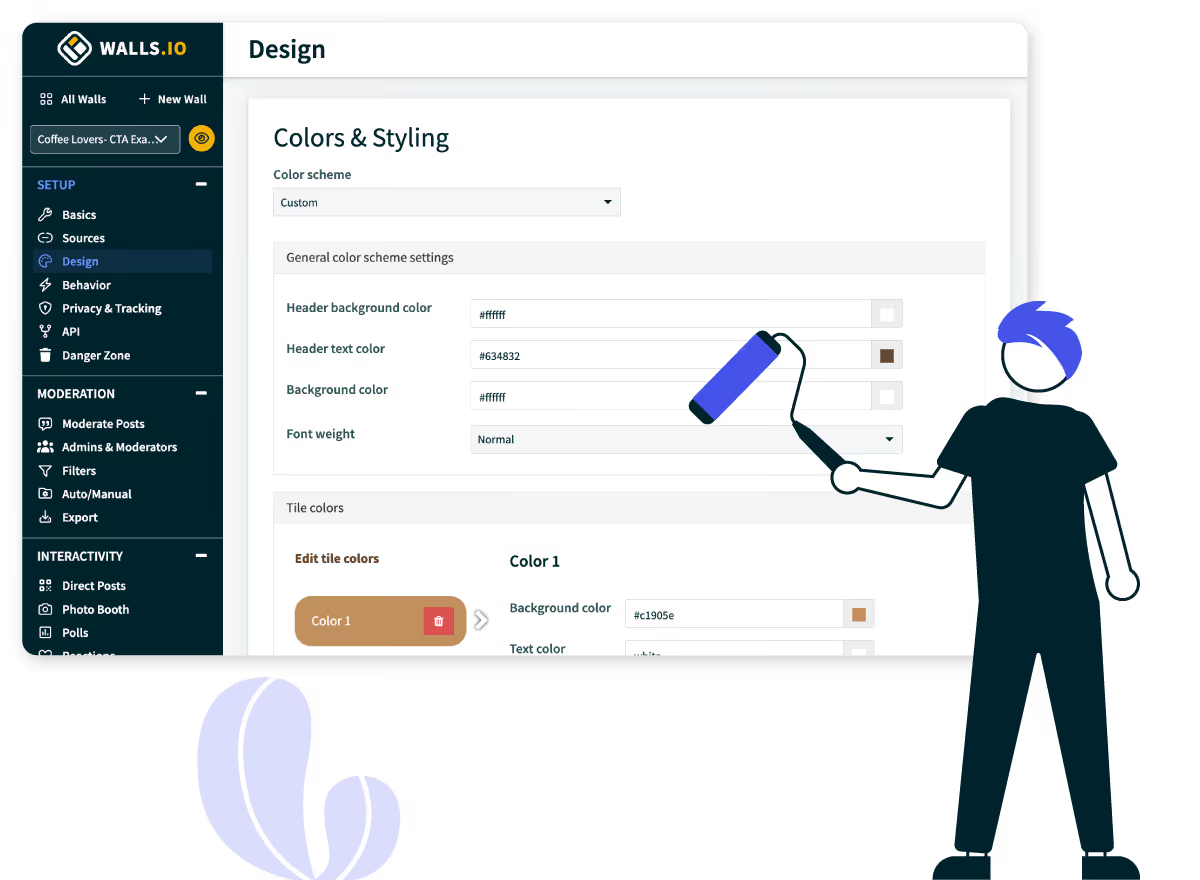
Set custom colors for backgrounds, text, and accents. Match your exact brand palette.

The Colors & Styling settings panel showing options for color scheme, header and background colors, background image upload, and font weight.

Fonts and typography

Choose from Google Fonts or upload your own font. Control font size, weight, and line height for post text, usernames, and timestamps.
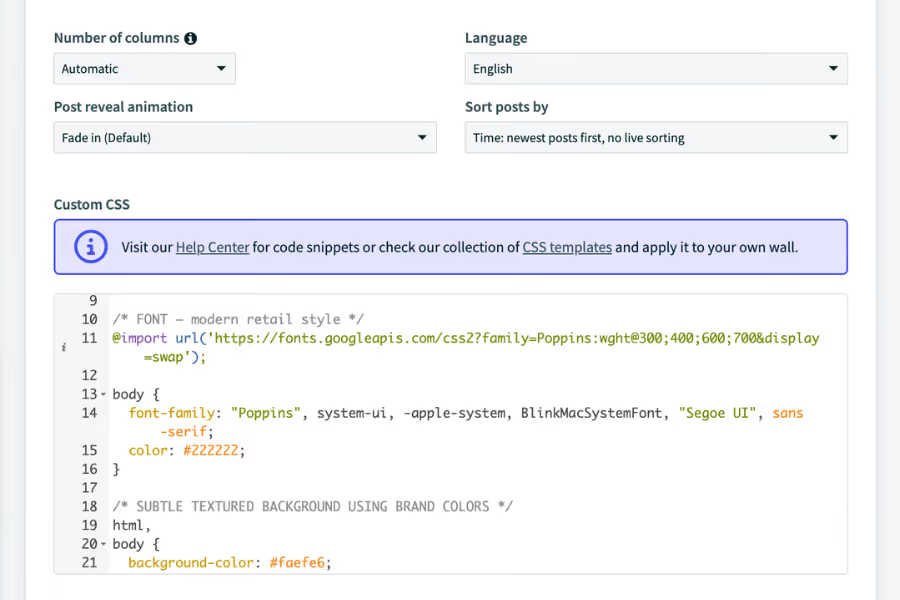
The Advanced Customizations panel showing column, language, animation, and sort settings above a Custom CSS editor.

Layout and grid

Pick from grid, waterfall, slider, or ticker layouts. Control the number of columns, post spacing, and card size to fit your display perfectly.
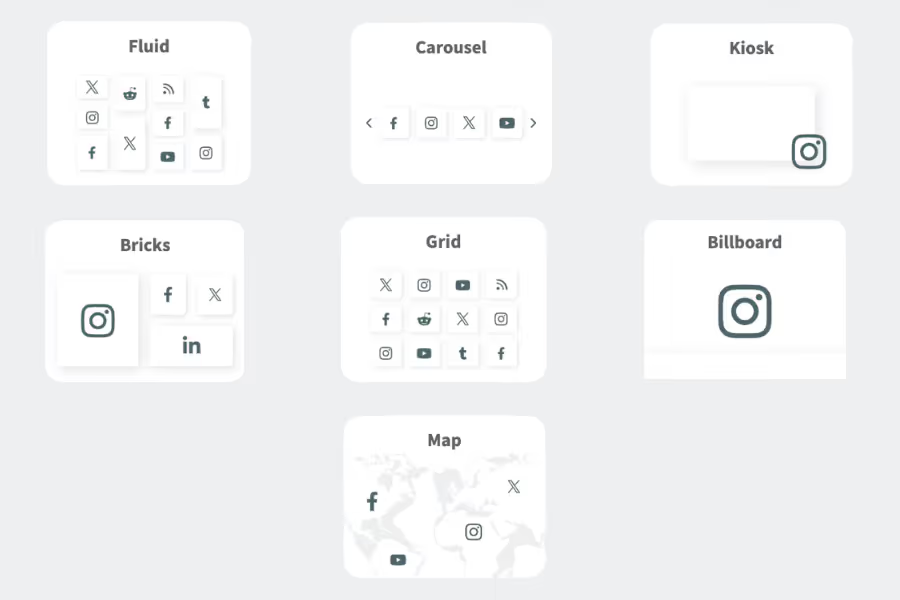
An overview of seven Walls.io layout options: Fluid, Carousel, Kiosk, Bricks, Grid, Billboard, and Map.

Postcard design

Show or hide usernames, timestamps, and icons. Round corners, and control how images are cropped.

A live social wall with a custom brand header, QR code, and a fluid grid of posts from multiple sources.

Header and banner

Add a custom header with your logo, event name, or a branded banner image. Use it to reinforce your messaging.
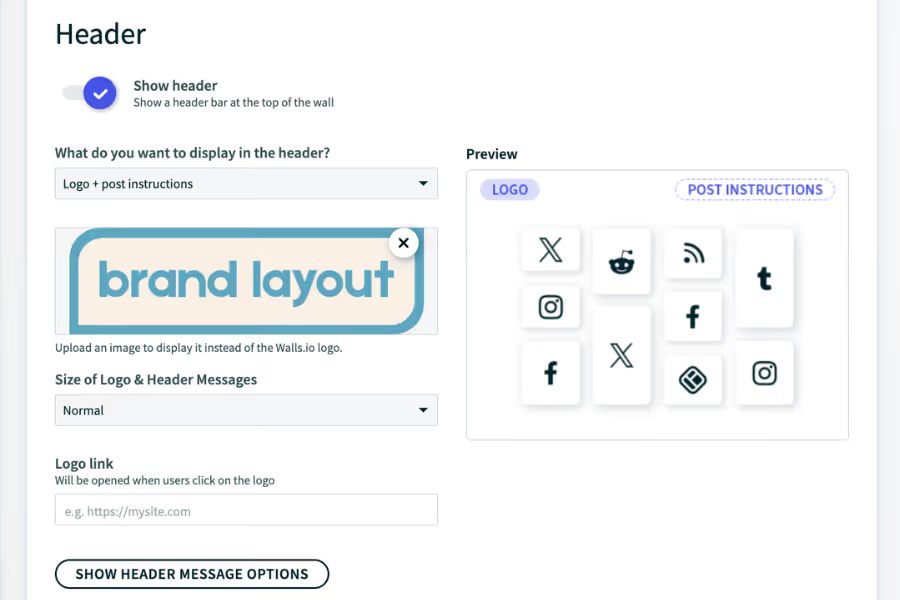
The Header settings panel showing logo upload, header content options, and a live preview of the header layout.

Custom CSS

Add your own CSS to override any default styling. Advanced users can build looks that go beyond the built-in options.
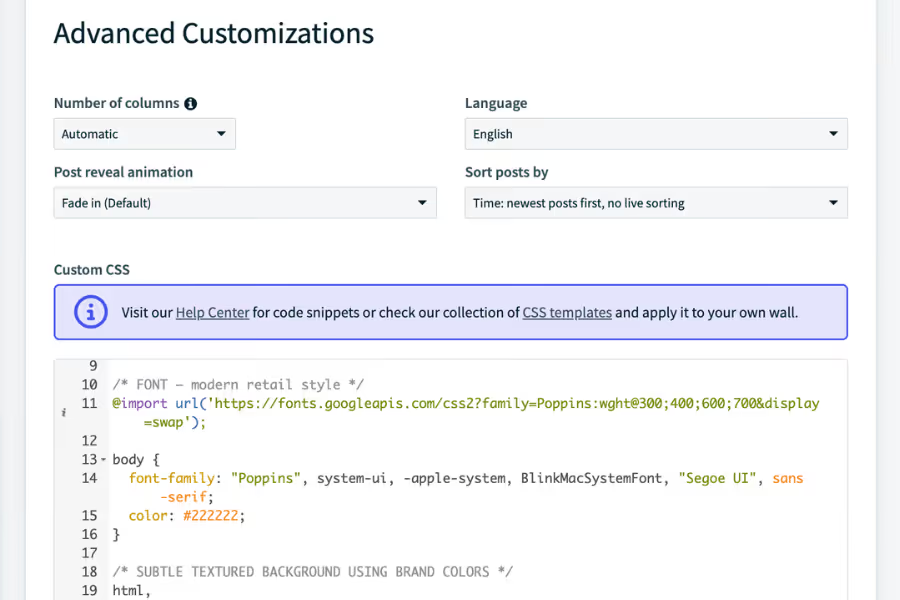
The Advanced Customizations panel showing layout controls and a Custom CSS editor with sample code.

Need inspiration?
Browse the custom layout gallery

Explore ready-made custom layouts built by the Walls.io team. Each layout is designed for a specific use case and can be applied to your social wall in one click.

Trusted by teams worldwide

How it works

Step 1

Choose a layout

Step 2

Configure every detail

Step 3

Add your own CSS

Step 4

Preview and publish

Why choose Walls.io

Enterprise security

GDPR & CCPA compliant, and built with 2FA and cookie-free architecture from day one.

Accessibility

Walls are screen-reader friendly and meet WCAG standards, so every audience member can engage without barriers.

Integration network

Connect to your existing tech stack via API, Zapier, and native integrations with the tools your team uses.

Cross-use case

One platform for events, websites, retail, and internal comms — no need to switch tools as your needs evolve.

Most sources

Aggregate content from 14+ platforms, including X, Instagram, TikTok, LinkedIn, and YouTube in a single live feed.

And we boast a full feature stack

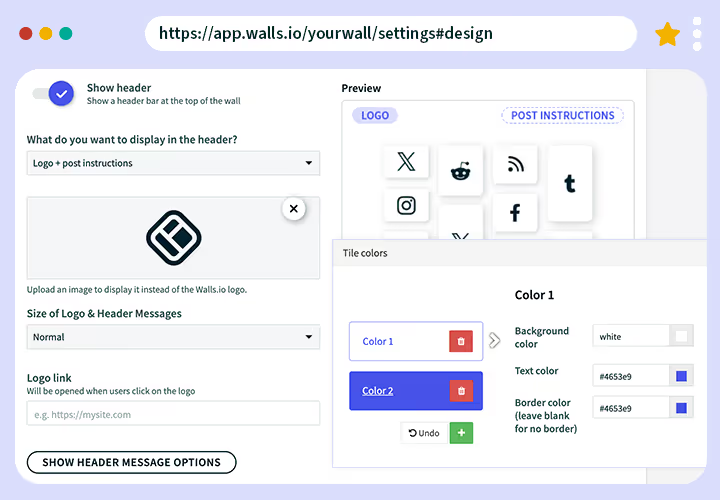
Screenshot of the Walls.io design settings page where users can customize header elements, upload logos, and change tile colors. The preview section shows color options and layout examples.

Custom branding

Our user-friendly design editor lets you add custom colors and headers to your wall. Though customizable CSS options are available, no coding skills are required.

Learn More
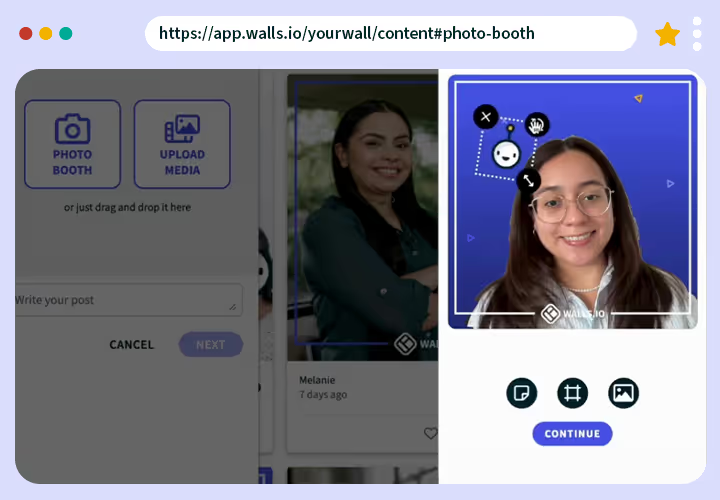
Screenshot of the Walls.io Photo Booth feature showing a user taking a selfie within the app. Options to upload media or write a post appear on the left side.

Digital photo booth 

Walls.io Lens is a digital photo booth that lets your audience post selfies and gifs directly to your wall with branded stickers and frames. Collect leads via these posts.

Learn More
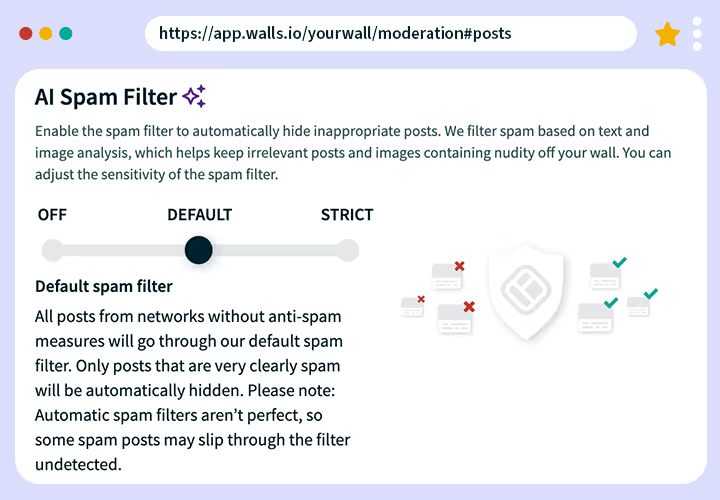
Screenshot of the Walls.io AI Spam Filter settings. The interface allows toggling between “Off,” “Default,” and “Strict” spam filtering modes with an explanation of each.

Moderation

We offer manual and automatic content approval, unlimited social wall moderators, keyword filters, and AI-powered spam filtering for images and text.

Learn More
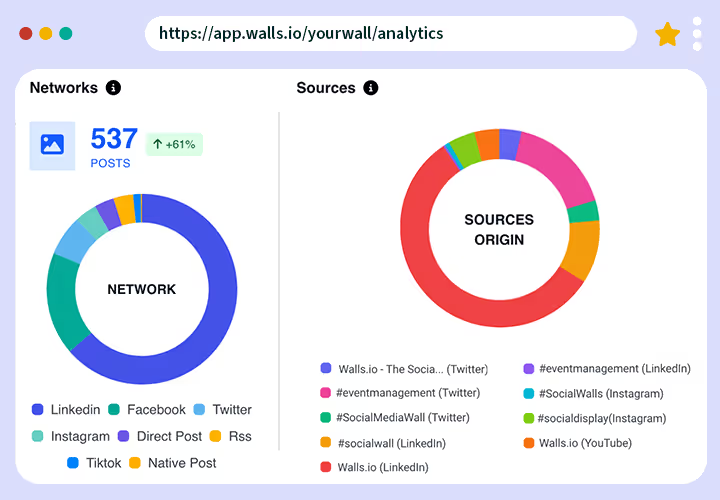
Analytics dashboard from Walls.io showing social media performance. On the left, a “Networks” donut chart displays 537 posts with a +61% increase, broken down by LinkedIn, Facebook, Twitter, Instagram, Direct Post, RSS, TikTok, and Native Post. On the right, a “Sources Origin” donut chart shows the distribution of content sources, including Walls.io, event management hashtags, and social media walls across platforms such as LinkedIn, Twitter, Instagram, and YouTube.

Analytics

Use our built-in tracking features to spot ROI and optimize future campaigns. Analyze sources, hashtags, networks, traffic, and brand sentiment.

Learn More
Photo of a person holding a smartphone and posting content on Instagram, with a Walls.io social wall visible on a computer screen in the background.

Direct Posts

Let people upload photos, videos and messages directly. Users can easily submit their posts by clicking a button or scanning a QR code on the wall.

Learn More
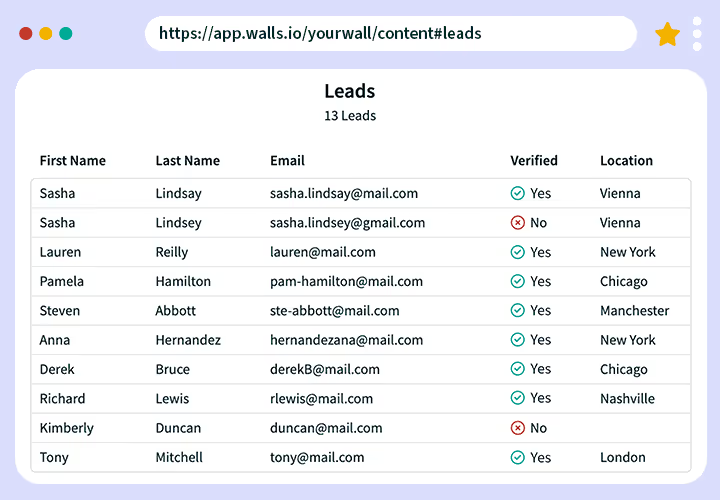
Screenshot of a Walls.io leads table showing users’ first and last names, emails, verification status, and locations. Example data includes names like Sasha Lindsay and Pamela Hamilton.

Lead Generation

Collect leads and user-generated content in one go. Leads generated via Photo Booth and Direct Posts can be downloaded in a .csv or .xlsx format.

Learn More
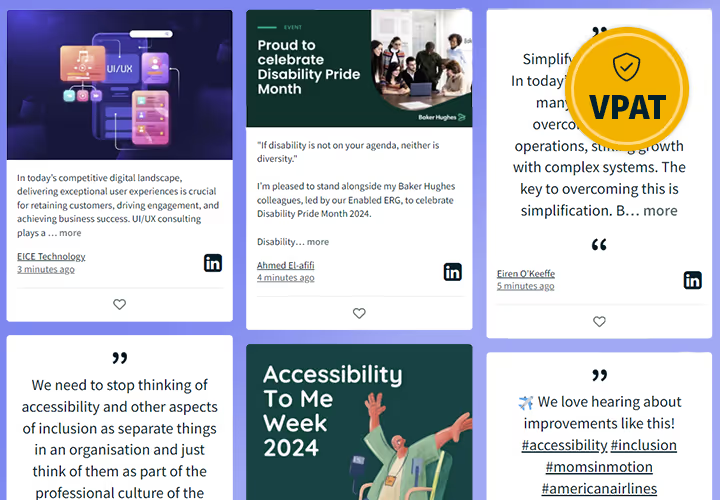
Screenshot of a social wall showing multiple posts about accessibility and inclusion, including topics like Disability Pride Month and Accessibility Week. A gold VPAT accessibility badge appears in the upper-right corner.

Accessibility

Walls.io conforms to the W3C’s Web Content Accessibility Guidelines (WCAG) 2.1. We can provide a VPAT (Voluntary Product Accessibility Template) upon request.

Learn More
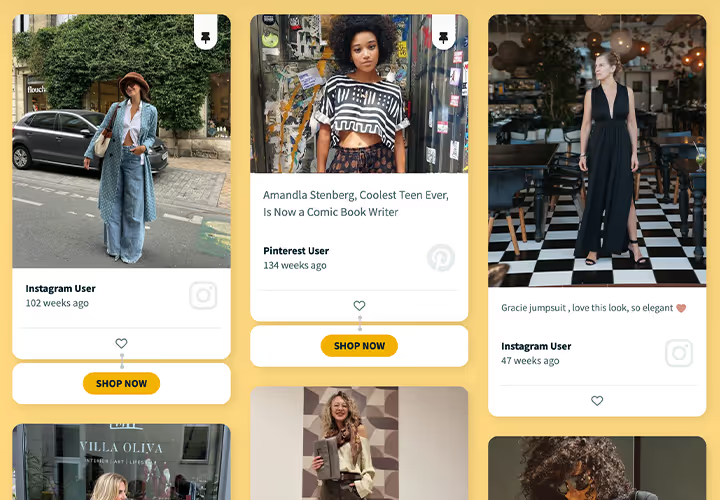
Example of a shoppable social wall displaying fashion posts from Instagram and Pinterest users, each with “Shop Now” buttons below the tiles on a yellow background.

CTA Buttons

Turn content into conversions with Call-to-Action Buttons. Posts with CTAs can be pinned to the top of your wall for greater visibility.

Learn More
Screenshot of the Walls.io poll creation interface where a user is setting up a question about favorite team-building activities. On the right, a preview shows poll results in progress.

Live Polls

Drive engagement and encourage people to voice their opinions with live polls. With our easy setup, you can facilitate contests, break the ice at meetings, and collect data.

Learn More
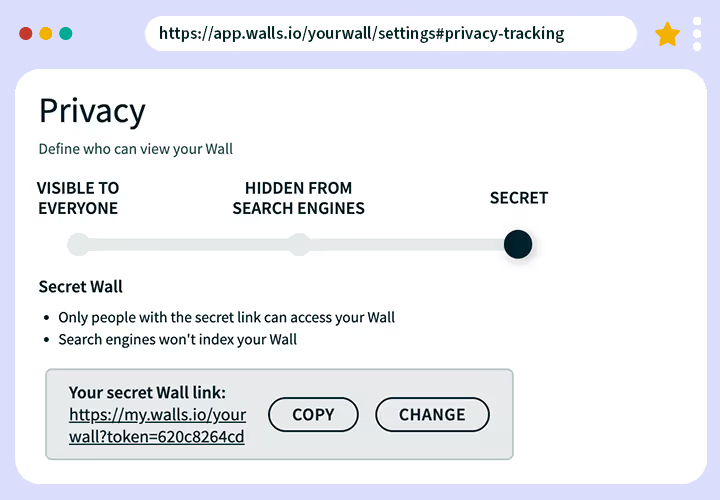
Screenshot of the Walls.io privacy settings page showing options for wall visibility: visible to everyone, hidden from search engines, or secret. The “Secret” option is selected, displaying a copyable private link.

Privacy and Security

Lock in the most secure social wall supporting 2FA and complying with EU & US/Californian data protection laws (GDPR and CCPA).

Learn More
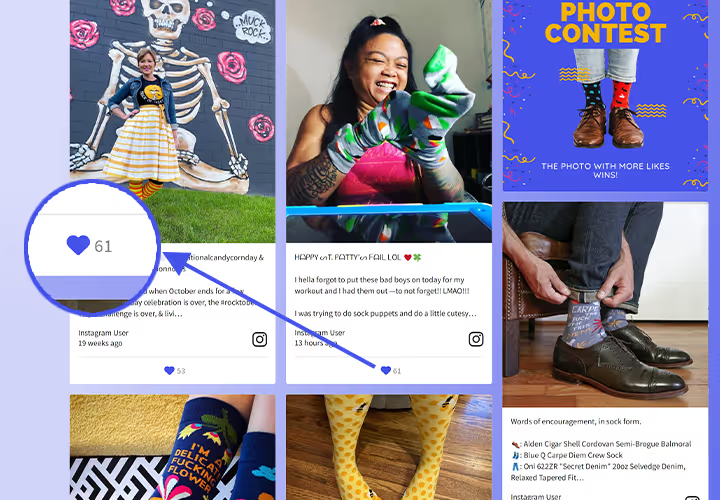
Screenshot of a Walls.io photo contest wall featuring colorful sock photos. One tile shows a magnified heart icon with 61 likes highlighted.

Reactions

Make your social walls interactive with Reactions. Visitors can like posts and show their opinion directly on your social wall.

Learn More
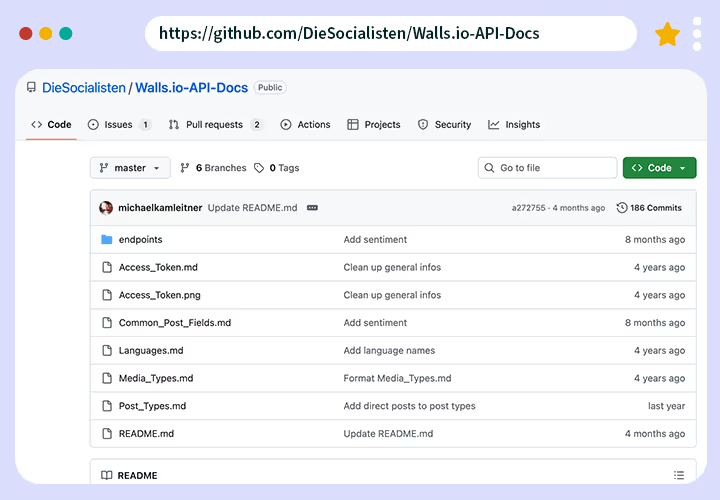
Screenshot of the Walls.io API documentation repository on GitHub showing files such as Access_Token.md, Post_Types.md, and README.md in the main directory.

Social Wall API

Use our HTTP/REST-API to interface with multiple networks and tools. If you want to build your own social wall solution, this is a time saver for your development team.

Learn More
Screenshot of the Walls.io Sponsored Posts feature showing options to enable sponsored posts and set display frequency, alongside examples of promotional tiles like giveaways and ads.

Sponsored Posts

Generate revenue with recurring Sponsored Posts. Feature your sponsors and partners on a social media wall at events, shops or websites.

Learn More
Screenshot of the WordPress editor displaying the Walls.io block plugin for embedding a social wall, with fields to enter the wall URL and an “Embed” button.

Wordpress Plugin

Walls.io has a ready-made plugin for Wordpress, allowing you to easily embed it across your Wordpress sites. All it takes is a quick plugin installation and activation.

Learn More