AI moderation that does the heavy lifting for you
Walls.io AI content moderation keeps enterprises’ social walls on-brand and professional. They’re tailored to your standards, hosted in the EU, and yours to switch off anytime.
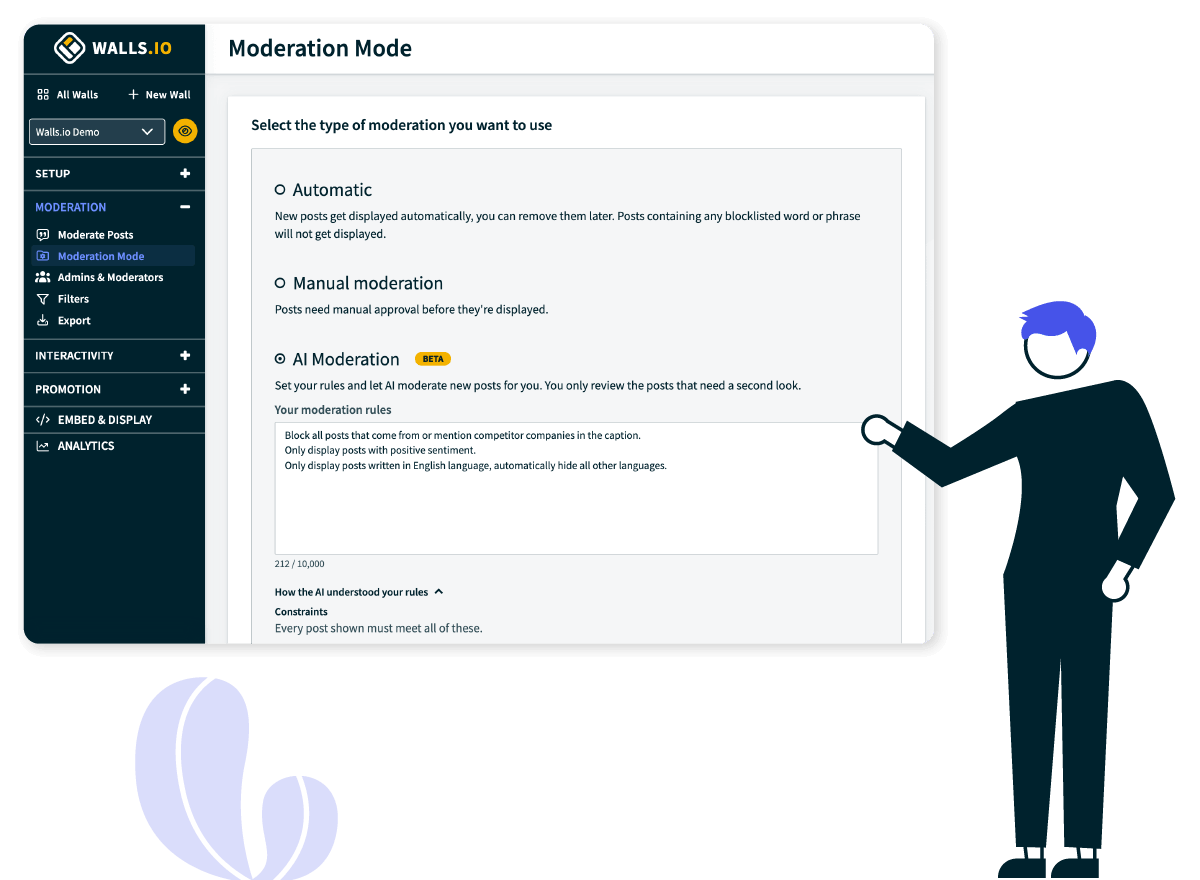


Your team has better things to do than babysit a social feed
Moderating every post and describing every image manually doesn’t scale. Walls.io does the work for you.
Checking posts every 10 minutes while a social wall runs on an event screen or webpage.
AI moderates every post around the clock in every language. You review it as needed.
Being worried that something inappropriate may become visible to your audience.
Spam, risky images, and off-brand posts don’t make it to the wall.
Hundreds of user-generated images with no description, invisible to screen readers.
Every image gets a clear, accurate alt text the moment it arrives.
AI features that work together on every post
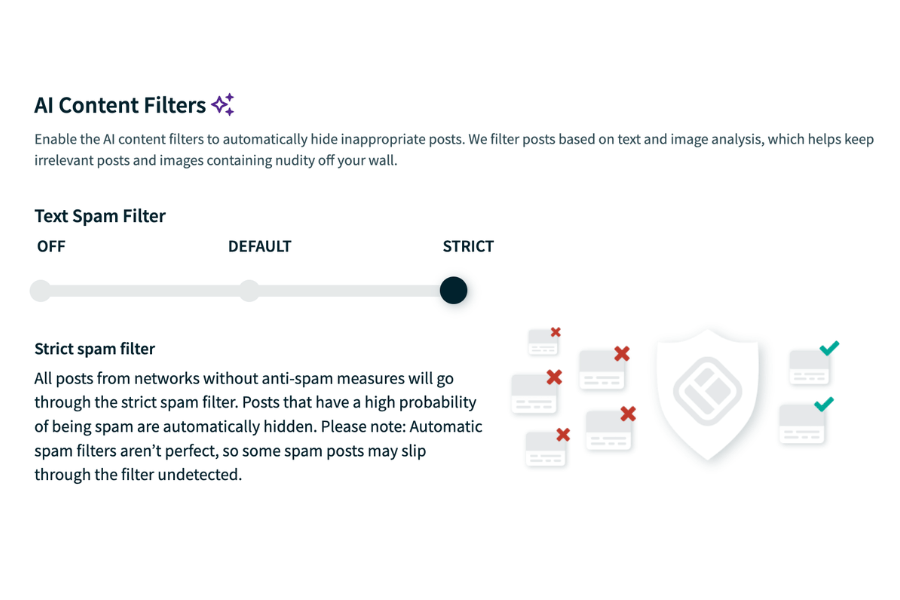
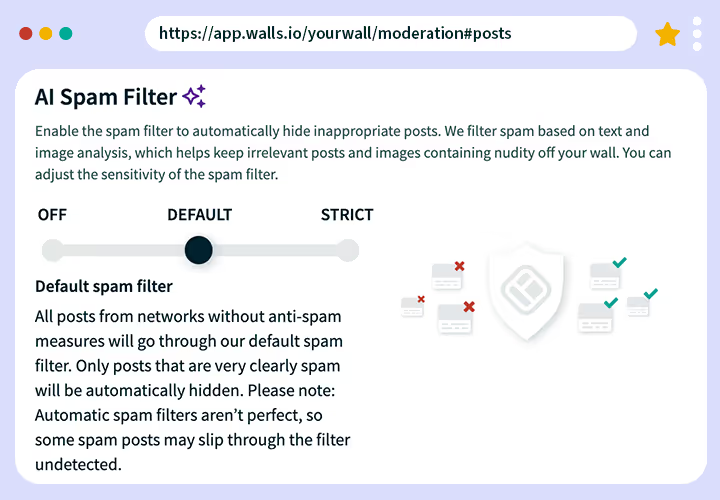
An AI text spam filter that blocks inappropriate captions
Screen hashtags, keywords, and text captions that may be harmful or inappropriate and block them from appearing on your wall.
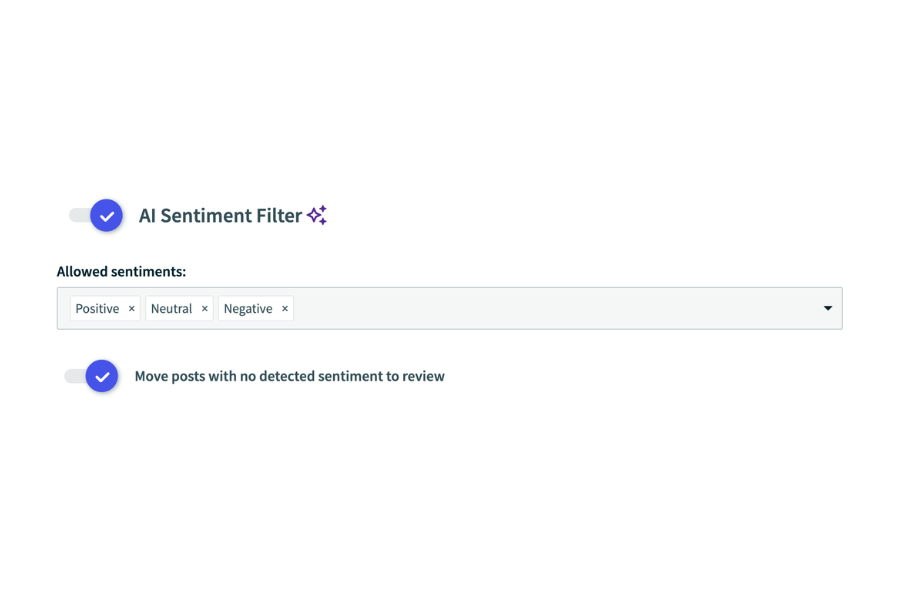
Sentiment analysis that sets the tone of your social wall
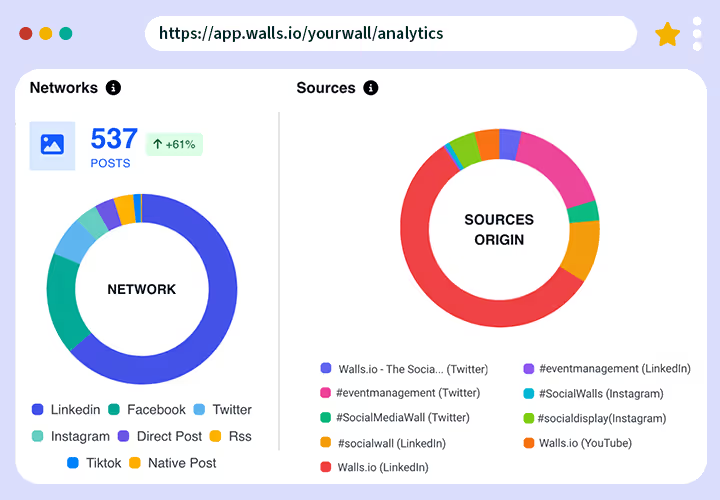
Detect whether a post is positive, negative, or neutral. Automatically hide anything negative and see the sentiment of your wall in Analytics.
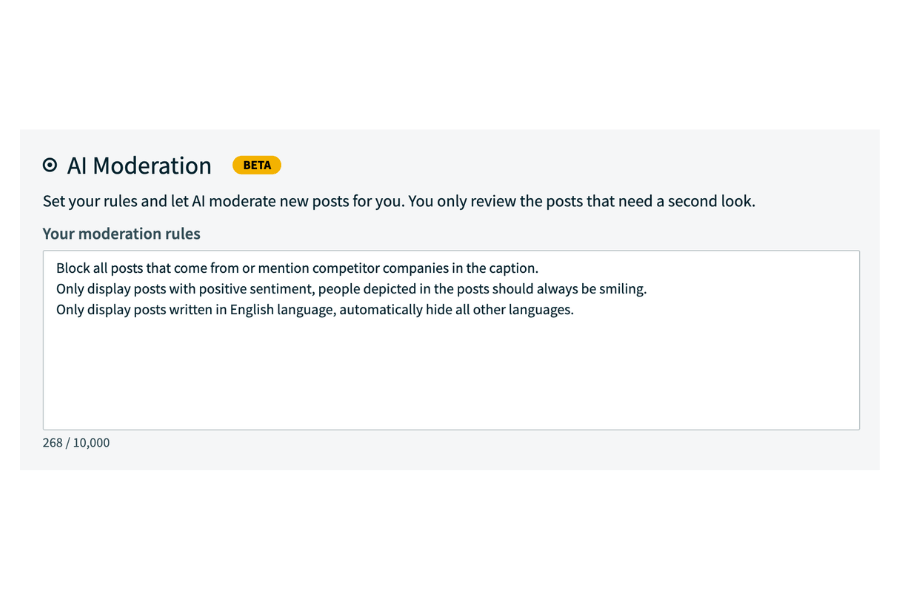
AI moderation that works around the clock and is tailored to you
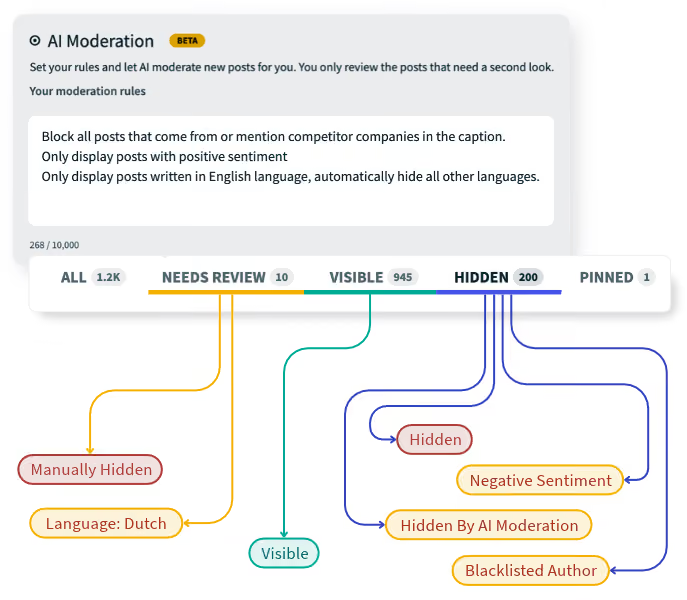
Write your moderation rules in plain language, and AI applies them to every post. Nothing goes live that doesn’t match your specific criteria.
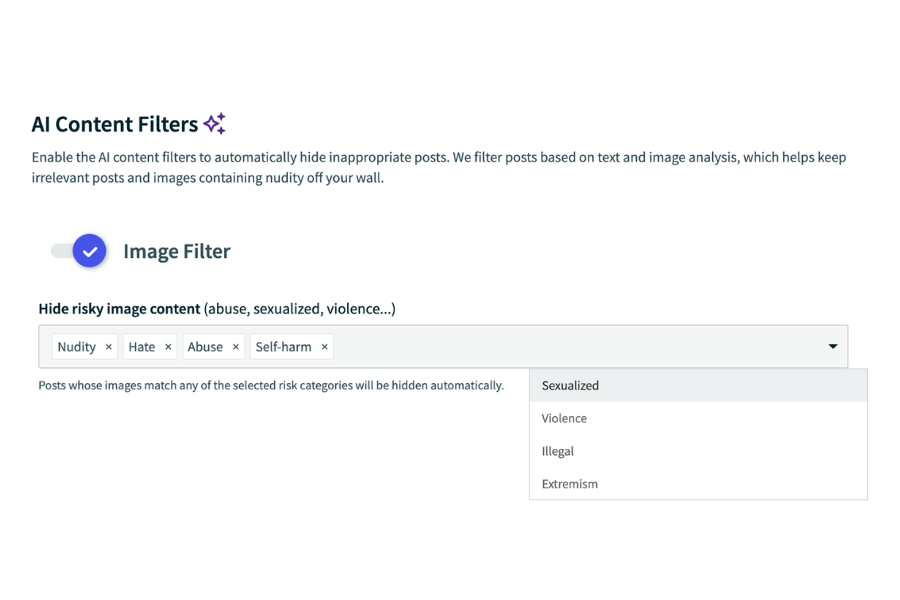
An AI filter that keeps sensitive images away
This filter understands what’s in an image, and stops unsafe visuals from appearing on the big screen.
Alt text that is automatically generated for you on all posts
Images and video thumbnails are automatically described so that your content is inclusive to visitors using screen readers.

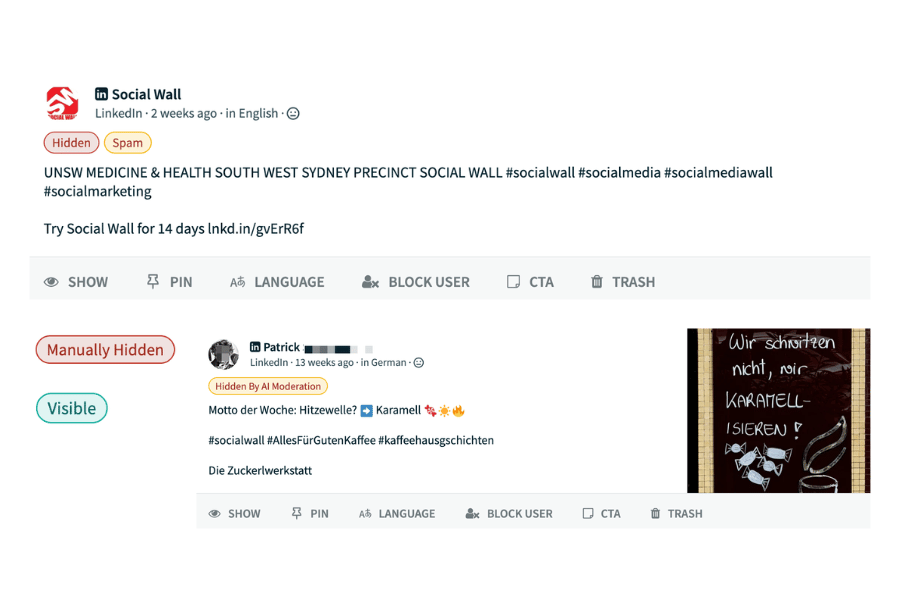
Transparent explanation tags for moderation decisions
Each post shows a bubble explaining why it was shown or hidden by the AI filters. You can reverse it in one click.
Moderation according to your rules
Tailored to you
Write rules like you’d brief a colleague. Define what relevant content looks like and customize its behavior to your exact requirements.
Adaptable
You can update the rules mid-process, and the AI will retroactively apply them to previously collected content as well as incoming posts.
Consistent
Your rules apply the same way to the first post and to the ten-thousandth. Every wall is held to the same standard that you set.
AI that you can take to procurement and IT
Which models are used?
Our AI image filters and AI moderator runs on Gemini Flash Lite.
Where do the models run?
On servers in Germany. Your posts and images never leave the EU for AI processing.
Does your data train the AI?
No! Your content isn’t used to train any AI models.
AI you can control
You can opt in/out of AI usage whenever you want. With our moderation capabilities, any new AI rule or filter you change will work retroactively.
See which posts were hidden by AI, which rule caught them, and manually refine the tool’s decisions if you don’t agree with them.
Unclear posts go to your review queue, and any AI decision can be reversed. Manual moderation and keyword filters always work, with or without AI.
One setup for your company
Regardless of your use case, AI alt texts make every image accessible to everyone who sees it. When it comes to moderation, here’s what it is most important to your team:
Events
Run the event, not the wall
Moderation takes only 5 minutes to set up: just write a rule or toggle on a filter and you’re ready to go. Automatic filters and AI do most of the work, so nothing goes live unless it matches your criteria. A team member will only have to check your reviewing queue every now and then.

Marketing
Only your brand on the wall
Keep competitor logos and content off your website with a keyword blocklist and an AI rule that shows only your company’s content. Want only on-brand posts? Describe them in plain language: your colors, your logo, your hashtags.
Employer branding
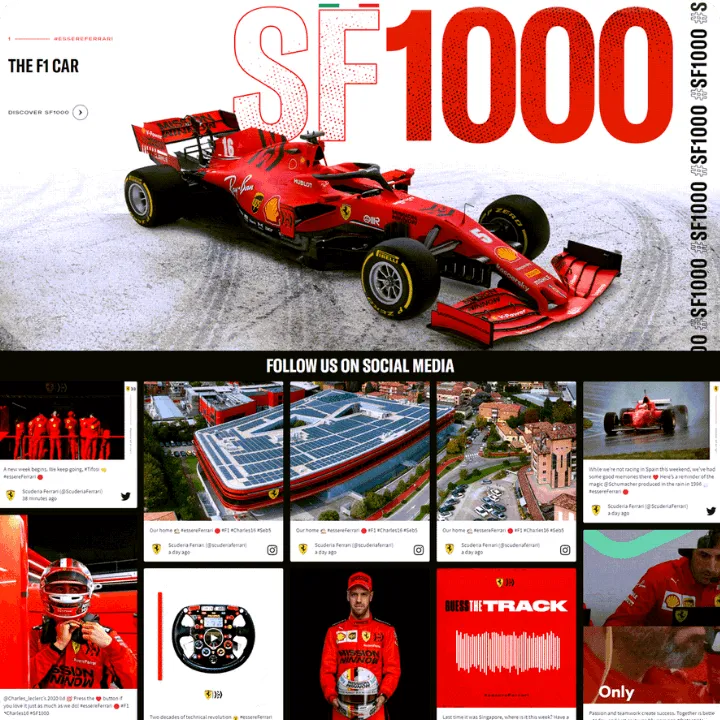
Brand-safe for multilingual websites
Duplicate a wall to give every region or subsidiary the same branding and moderation setup. You can then add different rules for every wall if needed. Moderation is multilingual so you can write AI rules in any of the languages of your international company.
Screens
Keep public displays professional
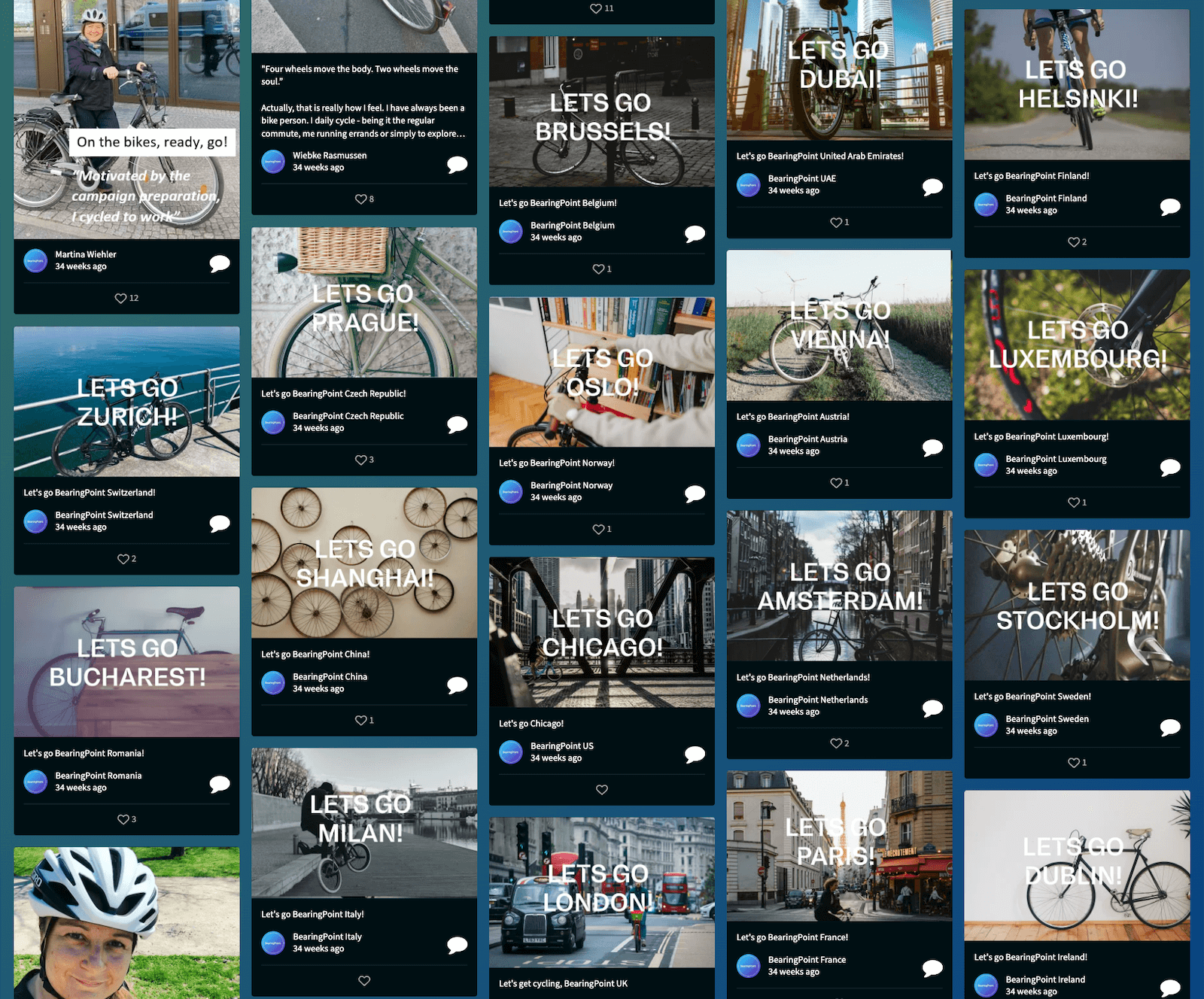
Sports arenas, graduations, airports, office receptions: AI checks every post before it goes live, so nothing off-brand ever reaches a public display. Set the tone with a single sentence, like “Only show posts with positive sentiment and clear faces,” and let AI choose the best moments.

Trusted by enterprises


“The AI moderation tools gave us peace of mind and we had multiple team members with moderator access so we could manage content throughout the day.”
Taken from Future Hospitality Summit, which hosted 650+ companies from over 60 countries.
Muhammad Ahmed, Senior Product Marketing & Analytics Manager, The Bench
Read the StoryAI text spam filter
AI sentiment analysis
AI image filter
AI freeform moderation
AI alt text
Switch AI on/off
Why choose Walls.io
GDPR & CCPA compliant, and built with 2FA and cookie-free architecture from day one.
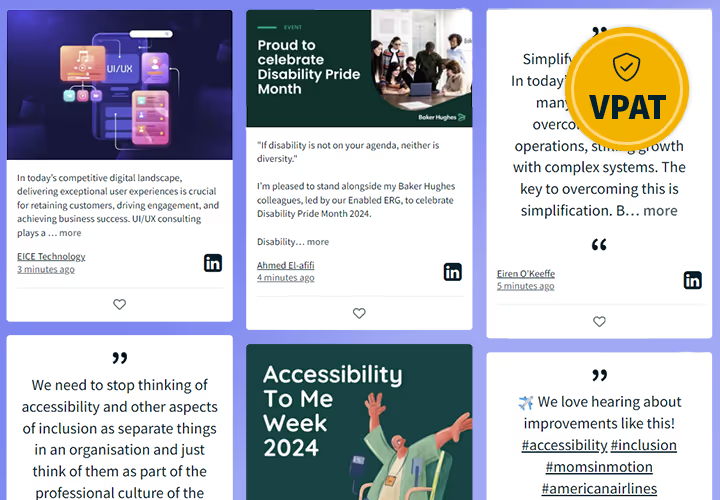
Walls are screen-reader friendly and meet WCAG standards, so every audience member can engage without barriers.
Connect to your existing tech stack via API, Zapier, and native integrations with complete control and advanced features.
One platform for events, websites, screens, and internal comms — no need to switch tools as your needs evolve — truly all in one social media in one platform.
Aggregate content from 14+ platforms, including X, Instagram, TikTok, LinkedIn, and YouTube , in a single live feed that unifies all your social feeds.
And we boast a full feature stack



FAQ
Why is content moderation important for user-generated campaigns?
When you open a wall to public posts, you can’t control what people share. Spam, offensive language, or competitor content can end up on a stage screen or your website in seconds, and once people have seen it, you can’t take it back. Moderation lets you safely decide what goes live beforehand.
Can I moderate posts from all my social platforms in one place?
Yes. Every source connected to your wall goes into one moderation view. That includes Instagram, TikTok, LinkedIn, Bluesky and Direct Posts. Posts are sorted into five tabs: All, Needs Review, Hidden, Visible and Trash. You never have to jump between platforms. Your filters, blocklist and AI rules apply to every source at once. Each post also shows a short explanation of why it was shown or hidden.
How do I handle spam and keyword filtering in a social feed?
Add words and hashtags to your blocklist, and any post that contains them stays off the wall. The Language Filter shows only posts in the languages you pick. Enterprise customers also get AI Moderation, where you write rules in plain language such as “hide anything mentioning X phrase.” Filters work in every moderation mode and apply retroactively, so if you change a rule mid-campaign, older posts get re-checked too.
Can more than one person moderate a wall?
Yes. You can invite unlimited moderators and administrators to a wall so your team can split the work, for example one person per shift at a multi-day event. With AI Moderation, your rules also give everyone the same standard to work from so the wall doesn’t depend on which moderator made which call.
Does moderation happen in real time?
Yes. Filters, the blocklist, and AI rules check every post as it arrives, before it reaches your wall. In automatic mode, approved posts go live right away. In manual mode, they wait in Needs Review for you.
Does someone need to watch the wall during a live event?
No. Your filters, blocklist, and AI rules run the whole time, and nothing goes live unless it matches your criteria. Edge cases land in the Needs Review tab, so checking it now and then is enough. With AI Moderation, a live review takes a few minutes instead of a full shift.
What’s the difference between automatic, manual, and AI moderation?
Automatic: Posts go live unless a filter or your blocklist stops them. This is the best fit for most events and campaigns.
Manual: Filters narrow down the posts first. Then you approve everything in the Needs Review tab before it appears. Choose this for very sensitive use cases.
AI (Enterprise): You describe what you want in your own words, and AI checks each post’s text and images against your rules. For example, you could say “Show posts about Apple the company, hide photos of apple fruit.” You can always reverse a decision the AI made.